When your M365 tenant is protected by Conditional Access policies, you restrict users from signing in from certain locations or enforce authentication based on various parameters. But what happens with App Registrations that authenticate using a client secret or certificate to consume application-level permissions? These apps act as autonomous entities, and by default, they are not subject to Conditional Access rules. If you don’t take specific measures to secure them, they can become a serious security gap, allowing connections to your Microsoft 365 tenant from anywhere. Here’s how you can protect these App Registrations.
Prerequisite
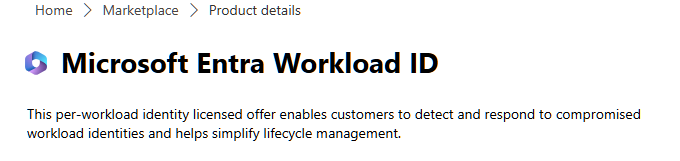
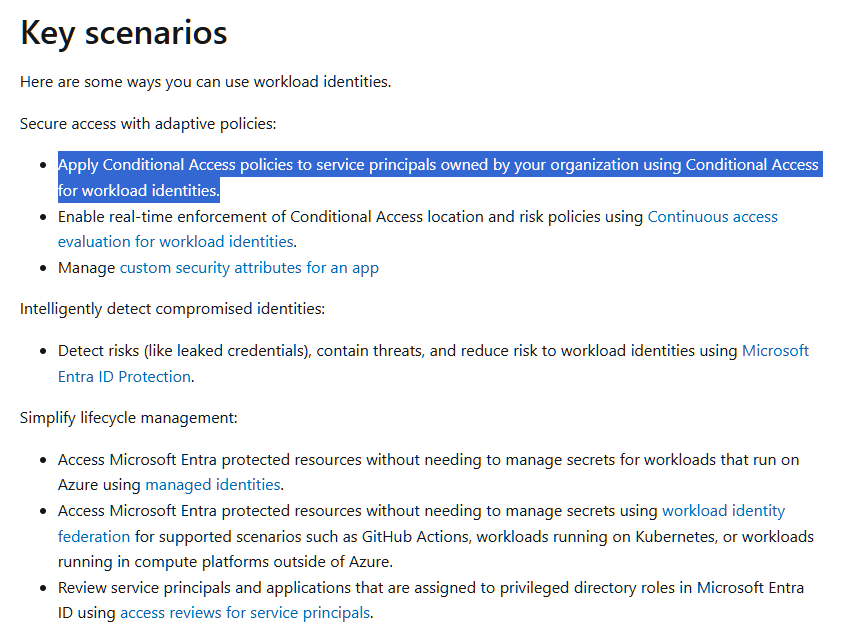
To protect applications that use application-level permissions, your tenant must have Microsoft Entra Workload ID licenses. Without these licenses, Conditional Access policies cannot secure this type of app, creating a significant security gap.
Therefore, if you use such applications and conditional access rules, it is mandatory to purchase a Microsoft Entra Workload ID license for each app💲😔.
Conditional Access rule configuration
APPDEMO is a single-tenant application that uses a certificate for protection and has an application permission of type Mail.Read.
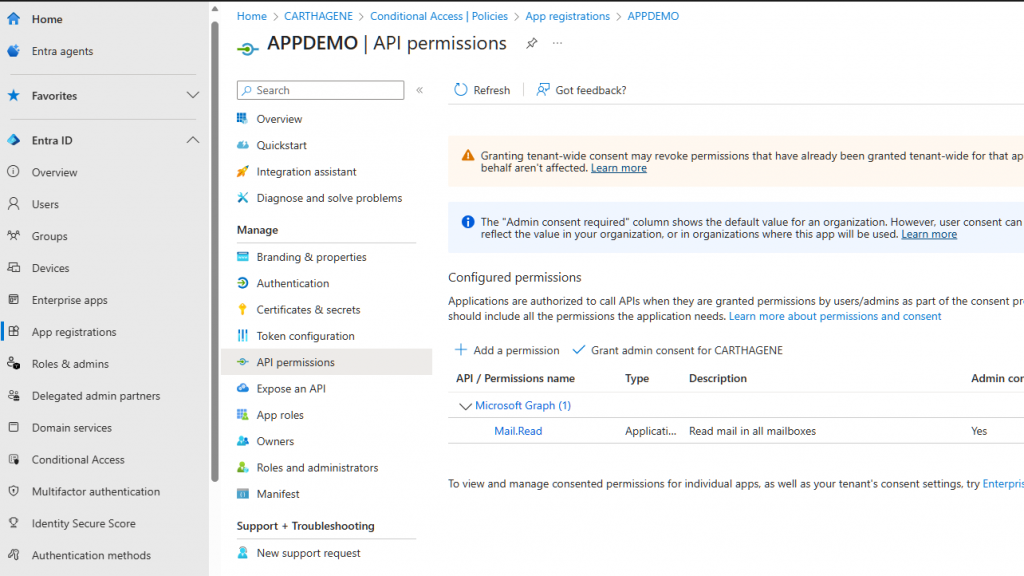
APPDEMO has a Workload ID license and can therefore use a conditional access policy for protection.
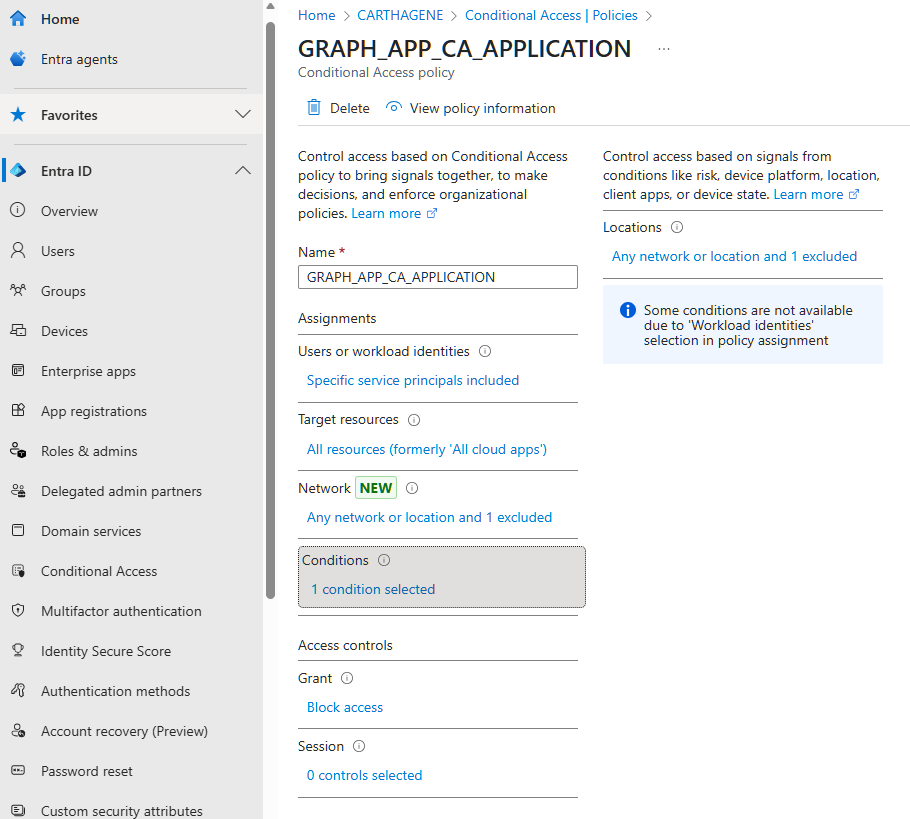
To do this, you need to use the ‘Workload Identities’ choice in the ‘Assignments’ tab of the conditional access policy to select the service principal of the application.
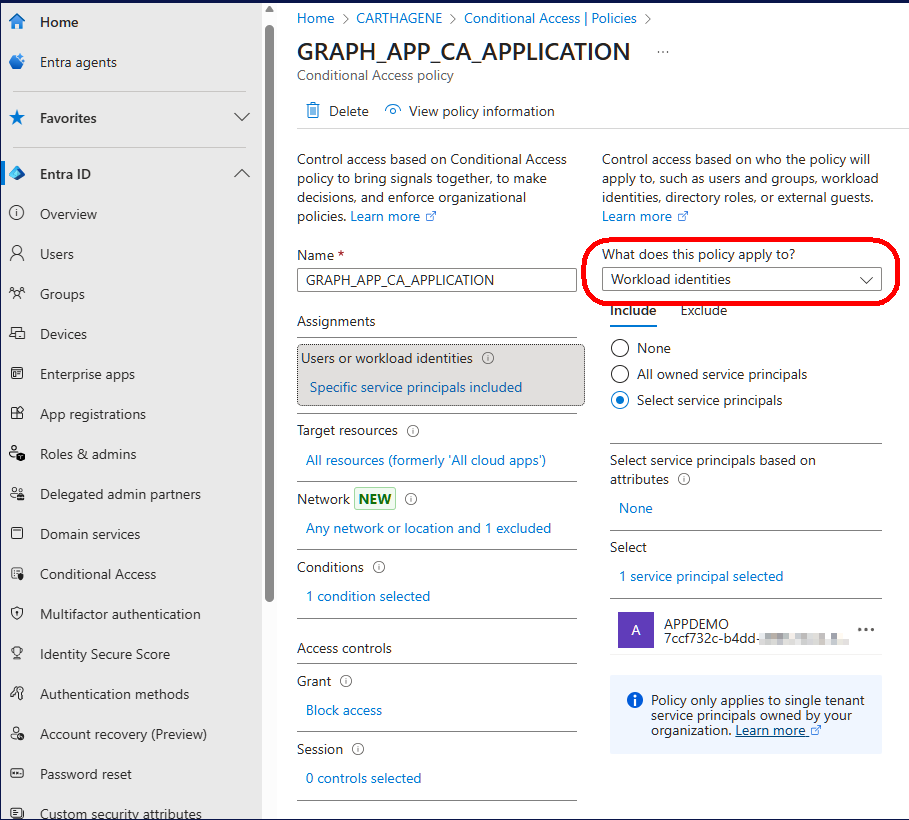
The next step is to define a criteria that blocks the application outside the desired context.
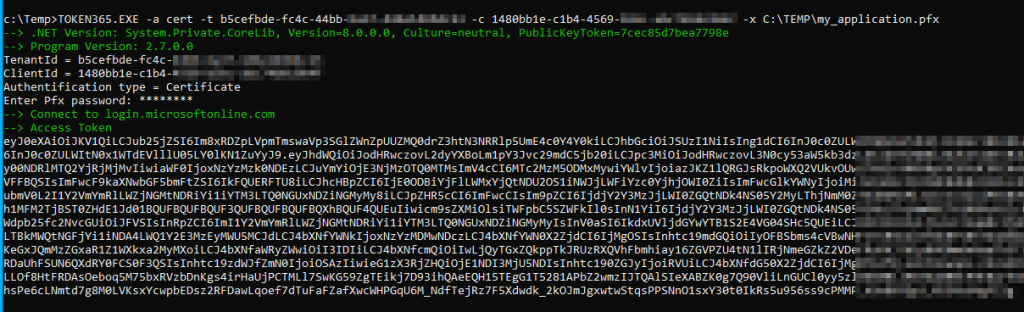
Test requesting access token
The result is as follows: Within the context allowed by the conditional access policy, you can request an access token.
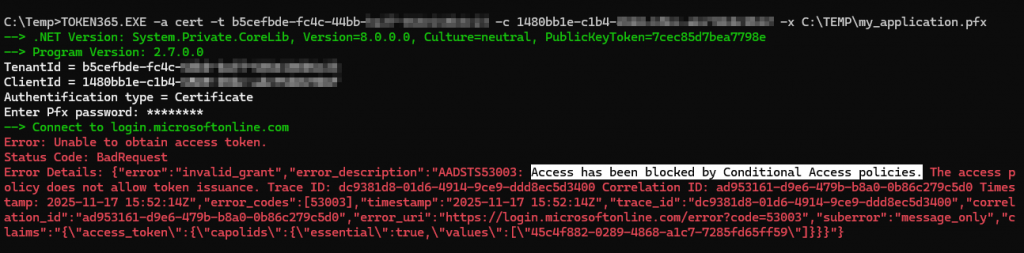
Outside this context, the conditional access policy and the Workload ID license block requesting access token.
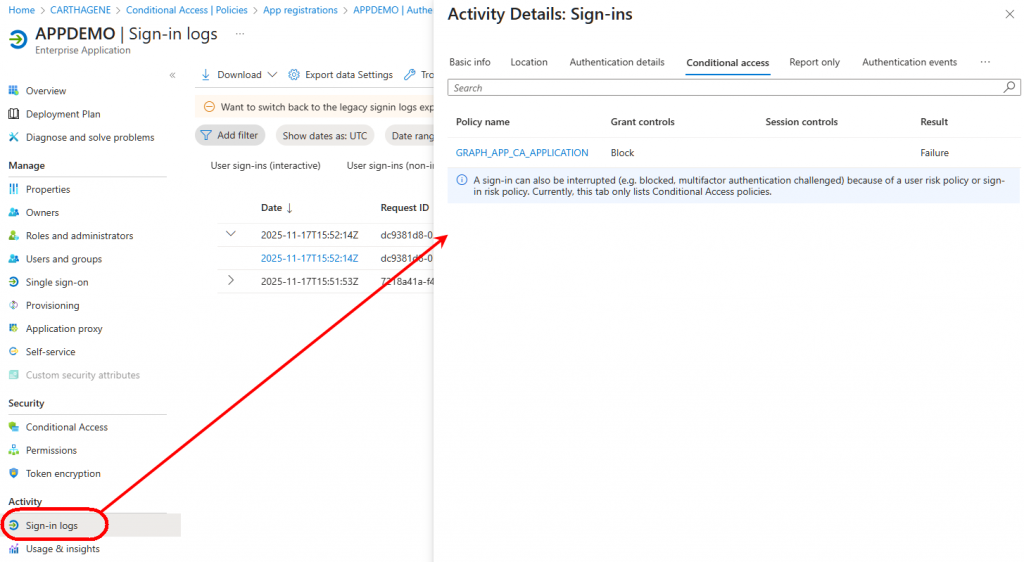
You can see the blocking by the conditional access policy in the application’s sign-in logs under the Service Principal Sign-in section.
To summarize, if you use service principal–based applications and your architecture relies on Conditional Access policies for protection, make sure you have Workload ID licenses and configure Conditional Access rules specifically for your service principals.
By Lionel TRAVERSE
Microsoft 365 Certified / MVP Microsoft 365 & Graph